I built an onboarding walkthrough for new signups to hky.bio. When it ships, new users will get a spotlight tour of the dashboard, a persistent setup checklist, and a share modal at the end.
This note covers what got built and how it got built.
What got built
New users land on an empty profile editor with no obvious entry point. The "+" button, the preview, the drag handles, and the section editors all sit there at once. When watching players walk through the setup, they got lost/confused.
The new flow:
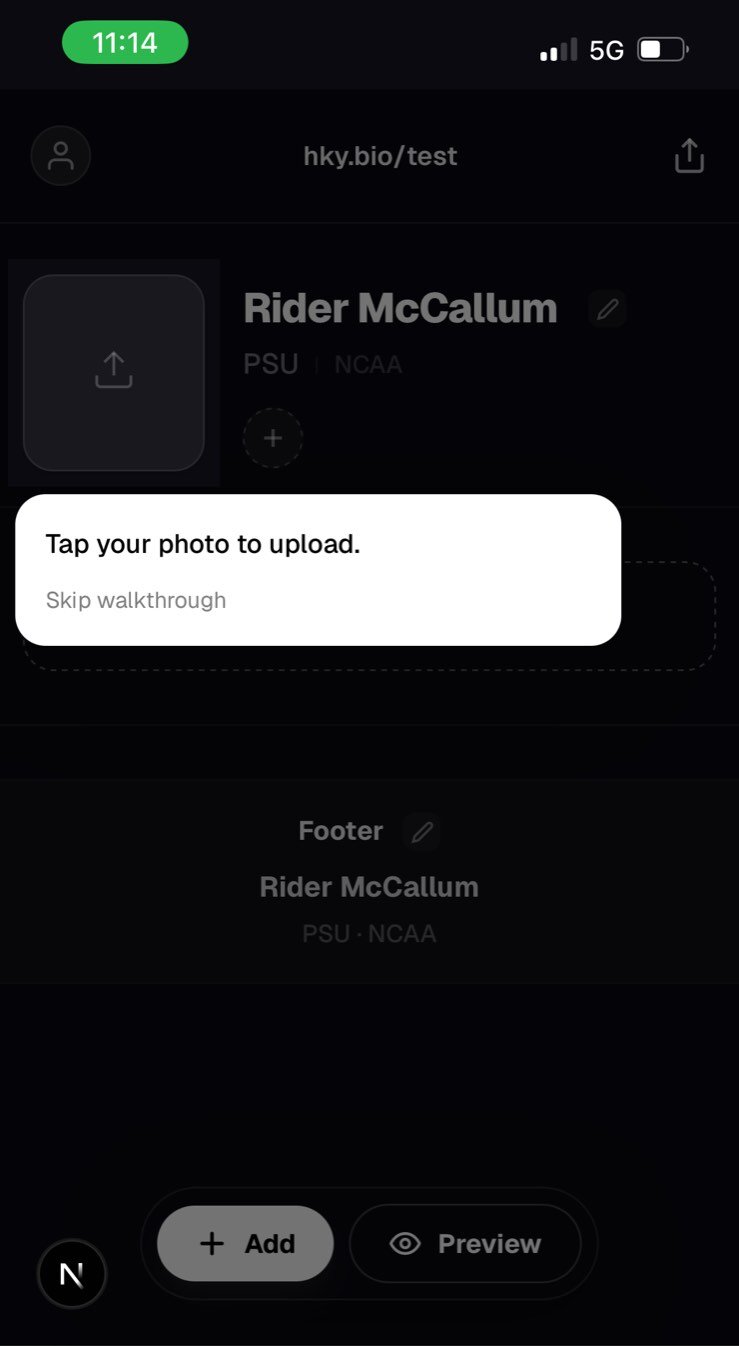
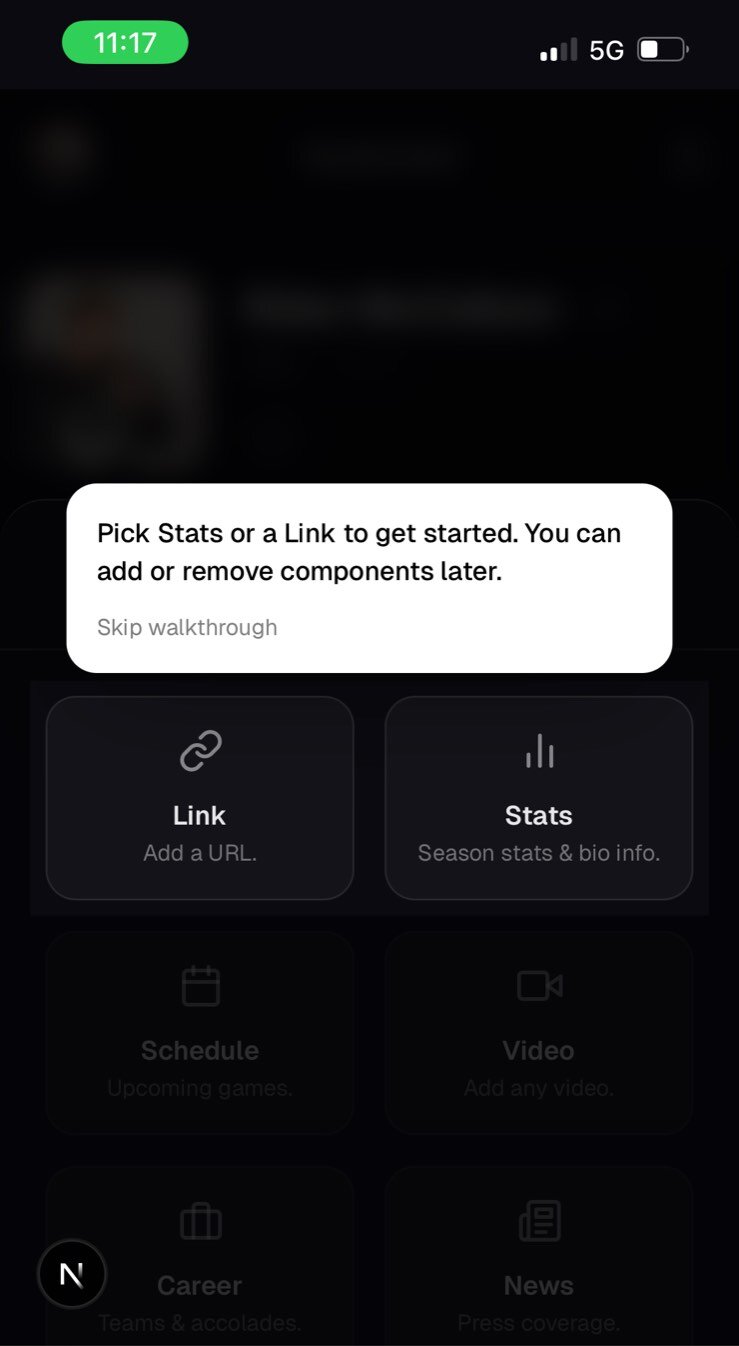
- A spotlight dims everything except the next target. The tooltip explains the step. Tap, advance.
- The first four steps cover photo, preview, component pick, and a first section (Stats or a Link Block).
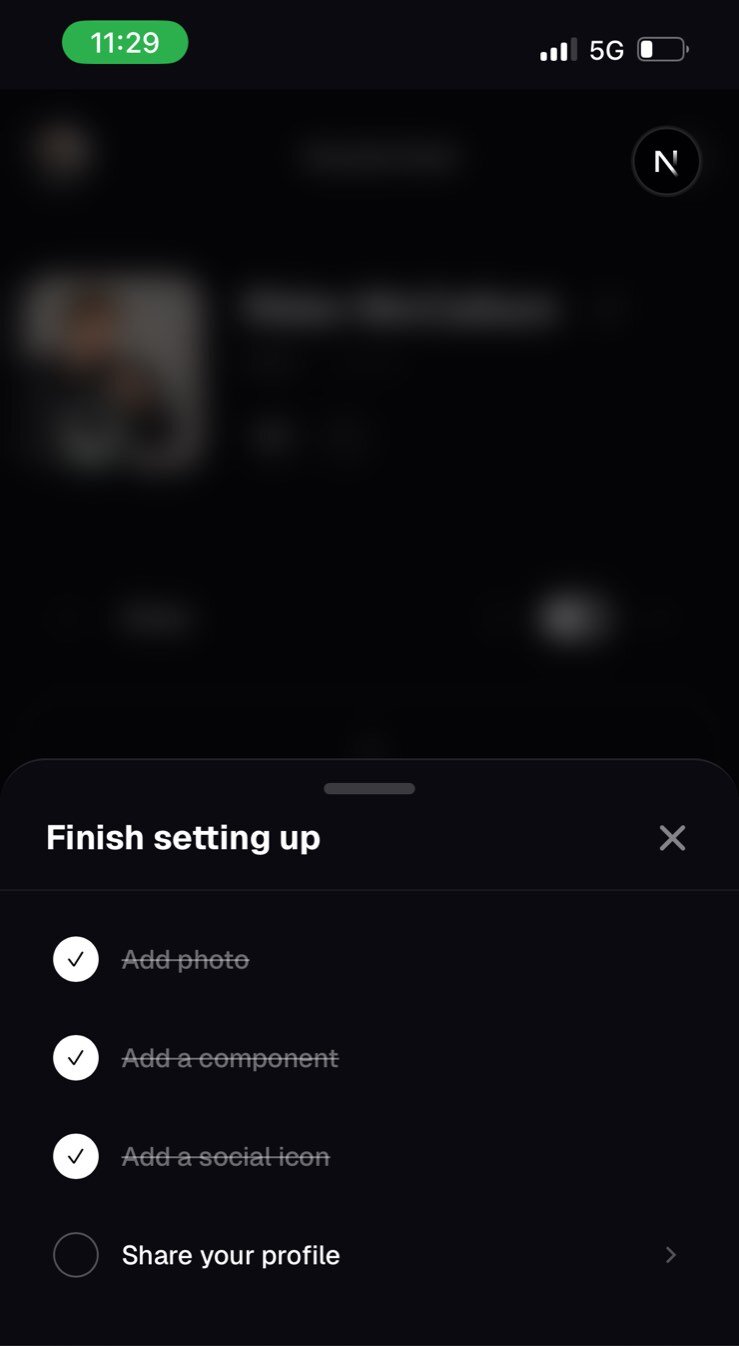
- After the spotlight ends, a "Setup 0 of 4" pill sits above the floating action bar. Expand it and you see the four items: photo, component, social, share. Each ticks itself as you complete it.
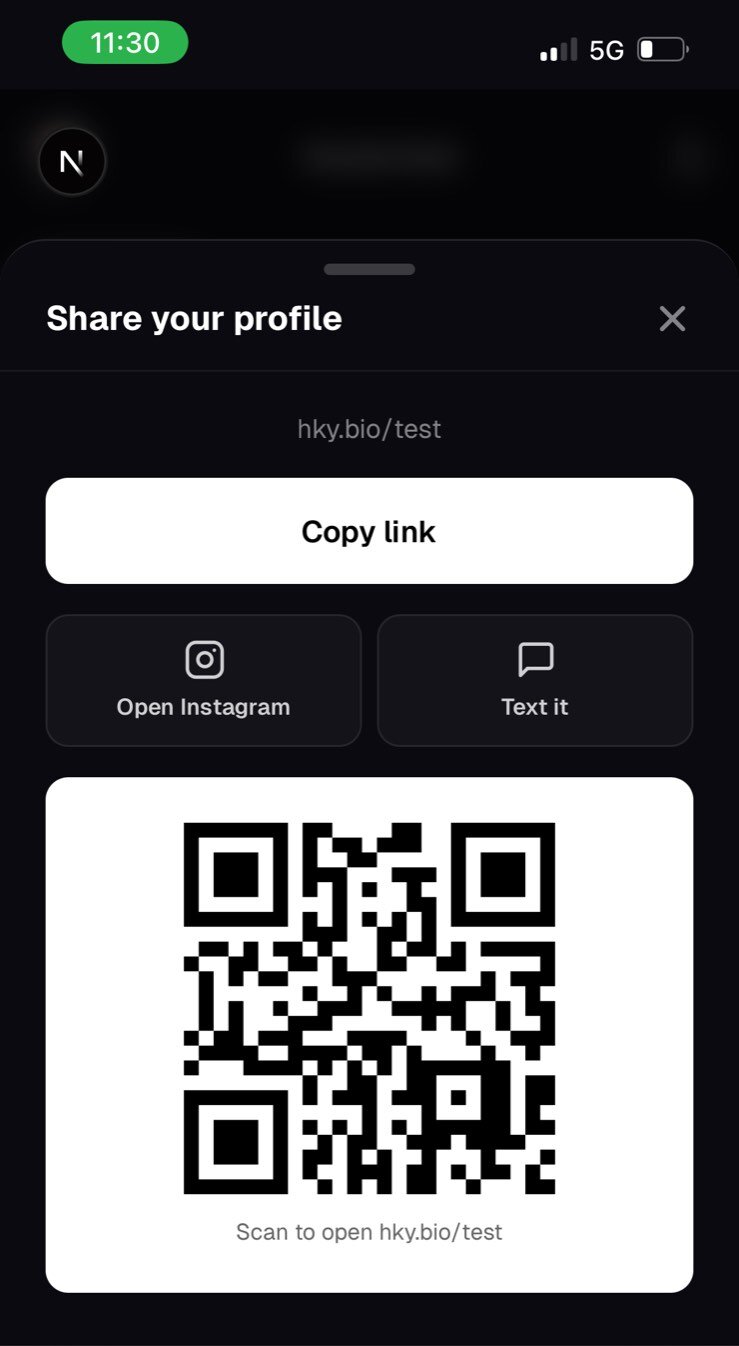
- A share modal replaces the old
navigator.sharecall. Copy link, Instagram deep-link, text-it, QR code. - Once the checklist is full, the celebration self-dismisses and a personal-brand prompt asks one short question to seed future features.
How it got built
Four steps, in order. Each one is a Claude Code skill or workflow.
1. Grill the idea
I started with /grill-me. The skill interrogates a plan until every branch of the decision tree is resolved. It asked about empty-state behavior, returning-user logic, what counts as "complete", and what happens mid-spotlight if a user changes their mind.
By the end I had a clear shape. Spotlight once per user. Permanent checklist after. Share modal at the end. Skip is always available.
This skill was stolen from Matt Pocock in this repo.
2. Write the PRD
Next was /prd. This skill follows the same style of interview, but I just continued in the same session with claude and had it use the information gathered from /grill-me as it's more in-depth. The output is a structured spec at docs/prds/dashboard-onboarding-flow.md. Problem, goals, non-goals, must/should/could requirements, success metrics, open risks.
The PRD became the source of truth. Every later decision pointed back to it.
3. Break into issues
The PRD got broken into ten tracer-bullet issues in docs/issues/. Each one is a vertical slice small enough to land in a single commit:
01-schema-migration-and-backfill02-f-position-support03-share-modal-replacement04-persistent-checklist-and-add-social-modal05-spotlight-engine06-photo-and-preview-spotlight-steps07-component-pick-and-stats-walkthrough08-link-block-walkthrough09-skip-switch-and-completion-stamp10-personal-brand-and-skipped
4. Run the loop
Then I ran ralph. Ralph is a small shell loop that runs Claude Code in a sandbox, one issue at a time, until the issues folder is empty.
I picked up this pattern from Matt Pocock. The setup follows his AI engineer workshop walkthrough, and the scripts are adapted from his workshop repo.
The whole thing is three files:
ralph/prompt.md. The instructions Claude follows each iteration. Pick the next issue (bugs first, then infra, then tracer bullets, then polish, then refactors). Use/tdd. Runnpm run testandnpm run typecheck. Commit with key decisions, files changed, and blockers for the next iteration. Move the finished issue todone/. Work on one task only.ralph/afk.sh. A bash loop that re-runs Claude with the latest commits, the remaining issues, and the prompt. Streams the output. Exits when Claude prints<promise>NO MORE TASKS</promise>.ralph/once.sh. Same input, but runs Claude in normal mode for a single pass.
I kicked off afk.sh 10 and let it run. Each iteration shipped one issue, one commit.
What the loop is good at
Tracer-bullet issues. Things with clear acceptance criteria. Tests as the contract.
It is not good at design taste. The first nine issues all landed cleanly, but the polish commit at the end was me after using the feature on my phone. Persistence on refresh. Scroll lock on the checklist sheet. Suppressing layout thrash when the virtual keyboard opens. Hysteresis on mobile tooltip placement. None of that came out of the loop.
What's next
The walkthrough is built but not shipped. Before it goes live I'm walking the full flow on a phone as a fresh user. Notes from that pass here.
Once it ships I want to see whether activation actually improves before I add anything else.